Understanding the Email Cover Letter
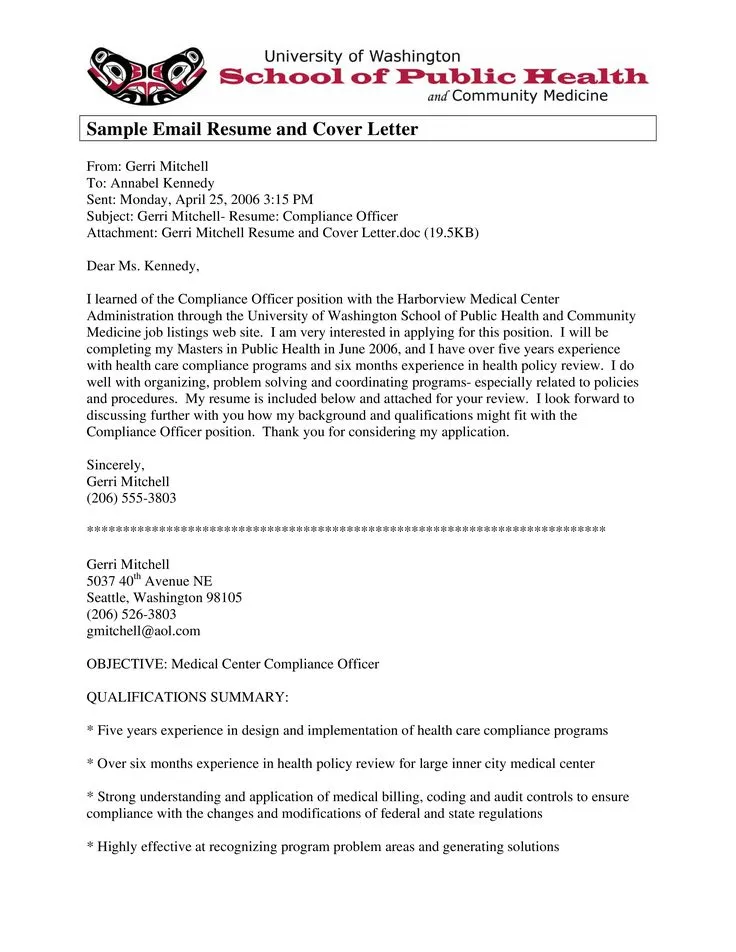
An email cover letter is a concise and professional introduction sent via email when applying for a job. It serves as your first point of contact with a potential employer, providing a brief overview of your qualifications and expressing your interest in the position. Unlike a traditional cover letter, which is often a separate document, an email cover letter is written directly in the body of the email. This format requires you to be even more succinct and focused, ensuring you capture the reader’s attention quickly. It is essential to treat this email with the same level of professionalism as you would any formal written communication, as it sets the tone for your application and can significantly influence whether you get an interview. The goal is to make a strong first impression and encourage the recipient to review your attached resume.
Why Use an Email Cover Letter?
Email cover letters are the modern standard for job applications, offering several advantages. Primarily, they are incredibly efficient. They reach the hiring manager instantly, unlike mailed letters. This speed is crucial in today’s fast-paced job market. Moreover, email cover letters often align with the application instructions provided by companies, and submitting in the requested format can be a positive sign. They also allow for easy attachment of your resume and any supporting documents. The use of an email cover letter implies that you are adept in digital communication and understand modern workplace practices. This can make you look organized and up-to-date. Because of their accessibility and ease of use, email cover letters are the preferred method for many employers.
Email Cover Letter vs. Traditional Cover Letter
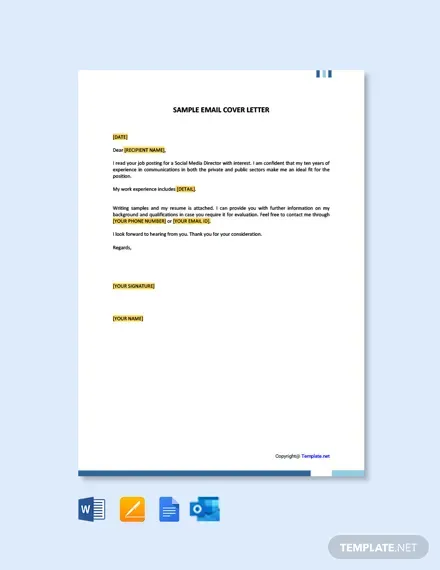
The key difference between an email cover letter and a traditional cover letter lies in their format and delivery. A traditional cover letter is a formal document sent as a separate attachment. This allows for greater length and detail, as well as the use of a professional letterhead and signature. In contrast, an email cover letter is written directly within the email body. This necessitates brevity and directness. The email format also influences the tone; it must be professional, yet also conversational, unlike the formal style of a traditional cover letter. Another difference is in design; traditional cover letters often include more visual elements. The choice between the two often depends on the specific instructions provided in the job posting. When in doubt, it’s always a good idea to follow the employer’s preferred format.
Crafting Your Email Cover Letter
Crafting a winning email cover letter requires careful planning and execution. The goal is to capture the hiring manager’s attention immediately and persuade them to read your resume. First, research the company and the specific role to tailor your letter to their needs. Personalize your email using the hiring manager’s name if possible. Keep the tone professional but engaging. The structure of your email is key, including a clear subject line, a compelling opening, a concise body, and a strong call to action. Proofread meticulously, ensuring there are no grammatical errors or typos. It is also essential to properly format your email for readability on any device. By following these steps, you will significantly improve your chances of making a positive first impression.
Subject Line Mastery for Email Cover Letters
The subject line of your email cover letter is the first thing a hiring manager sees, and it is critical for grabbing their attention. A good subject line should be clear, concise, and relevant to the job. Include the job title and your name to make it easy for the recruiter to understand the purpose of the email. Avoid generic subject lines like “Job Application.” Instead, use something specific, such as “Application for Marketing Manager - [Your Name]” or “[Your Name] - Application for Software Engineer Position.” This helps the hiring manager quickly identify the email among numerous applications. It’s a good idea to also make sure your subject line is formatted correctly, so it is professional. A well-crafted subject line increases the likelihood that your email is opened and read.
Personalizing Your Email Cover Letter

Personalization is a key ingredient in creating a compelling email cover letter. Taking the time to customize your letter for each job application shows that you are genuinely interested in the role and have done your research. Address the hiring manager by name if you know it; otherwise, use a professional greeting. Mention specific details about the company and the position to demonstrate your understanding of their needs. Tailor your skills and experience to match the job requirements, highlighting the relevant accomplishments. Demonstrate your understanding of the company’s mission or recent projects to show you care about the position. This level of detail can greatly set you apart from generic applicants. Always avoid using a generic letter or using incorrect company names.
Highlighting Your Key Qualifications
In an email cover letter, it is vital to highlight your most relevant qualifications quickly. Focus on the key skills and experiences that align with the job description. Start with a brief summary of your most significant achievements and skills. Instead of listing your entire resume, select the most impressive aspects of your background and tailor them to the job requirements. Use action verbs to describe your accomplishments, showing the results you delivered in previous roles. Quantify your achievements whenever possible to demonstrate your impact (e.g., “Increased sales by 15%” or “Managed a team of 10”). Make sure to use keywords from the job description to make it easy for recruiters to recognize your fit. This focused approach ensures your letter is concise and engaging, making the hiring manager want to review your resume.
Formatting Your Email Cover Letter
Proper formatting is essential for ensuring your email cover letter is readable and professional. Keep the formatting simple to make sure it is accessible on different devices. Use a clean, easy-to-read font like Arial or Calibri. Keep the font size between 10 and 12 points. Use paragraphs to break up the text, making it easier for the reader to scan the content. Use bullet points for lists of skills or accomplishments. Maintain a consistent structure with clear headings and subheadings. Be sure to use a professional email signature that includes your name, contact information, and any relevant links, such as your LinkedIn profile. Ensure your email is properly formatted, with no unusual characters or formatting that could make it difficult to read.
Key Elements to Include in Your Email Cover Letter

Your email cover letter should contain several key elements to effectively communicate your qualifications and interest in the job. Start with a professional greeting, addressing the hiring manager by name if possible. In the opening paragraph, state the position you are applying for and how you learned about it. The body of your letter should highlight your most relevant skills and experiences, using examples to illustrate your achievements. Include a brief summary of your qualifications and how they align with the job requirements. Clearly express your enthusiasm for the position and the company. Conclude with a strong call to action, such as expressing your eagerness for an interview. End with a professional closing, such as “Sincerely” or “Best regards,” followed by your name.
Opening Paragraph that Grabs Attention
The opening paragraph is crucial for capturing the hiring manager’s attention. It sets the tone for your email and encourages the reader to continue. Start by stating the specific position you are applying for and where you found the job posting. Then, immediately state your key qualifications or a compelling achievement that directly relates to the job requirements. You can also express your enthusiasm for the role or the company. Avoid generic opening statements, instead, try to engage the reader by demonstrating your understanding of their needs. Keep the opening paragraph concise, no more than 3-4 sentences, and focused on making a strong first impression. This is your chance to quickly hook the reader and convince them that you are a strong candidate.
Body Paragraphs Showcasing Your Skills
The body paragraphs of your email cover letter should provide specific examples to showcase your skills and experience. Focus on the accomplishments that directly relate to the job requirements. Use the STAR method (Situation, Task, Action, Result) to structure your examples, providing context, describing your role, explaining your actions, and highlighting the outcomes you achieved. Use action verbs and quantify your results to make your accomplishments more impactful. Avoid simply repeating what is on your resume; instead, provide more context and details to make your experience more engaging. Tailor your skills and experience to match the job requirements and demonstrate your understanding of what the employer is looking for. The goal is to convince the hiring manager that your skills and experiences make you an ideal candidate.
Closing Paragraph with a Strong Call to Action

Your closing paragraph is your final opportunity to reinforce your interest in the position and prompt the hiring manager to take action. Reiterate your enthusiasm for the role and the company. Thank the hiring manager for their time and consideration. Express your eagerness to discuss your qualifications further in an interview. Include a clear and direct call to action, such as “I look forward to hearing from you soon” or “I am available for an interview at your earliest convenience.” Make sure your contact information is easily accessible. A well-crafted closing leaves a lasting impression and increases the likelihood of moving forward in the hiring process.
Attaching Your Resume Correctly
Properly attaching your resume is a critical step in your email cover letter. Always attach your resume as a separate document. Never copy and paste the resume into the body of the email, as it can disrupt the formatting and make it difficult to read. Ensure that your resume is formatted as a professional and easily readable file. Provide clear instructions on how to open the file. Use a standard file format like PDF, as it is more compatible across different devices and operating systems. Verify that the attachment is present and accessible before sending your email. Always confirm that the correct resume is attached, ensuring it is current and tailored to the specific job. Double-checking these details can prevent errors and enhance your chances of making a positive impression.
File Format and Naming Conventions
Choosing the right file format and naming conventions for your resume attachment is essential. Use PDF (Portable Document Format) for your resume, as it preserves the formatting regardless of the recipient’s device or software. Avoid using DOC or DOCX files unless specifically requested. Your resume’s file name should be clear, professional, and easy to identify. Use a format such as “FirstName_LastName_Resume.pdf” or “LastName_FirstName_Resume_JobTitle.pdf.” This makes it simple for the hiring manager to locate and organize your document. Avoid using special characters or spaces in the file name. Following these conventions ensures that your resume is accessible, well-organized, and professional. Be careful to avoid using outdated or unprofessional file names.
Proofreading and Editing Your Email Cover Letter

Proofreading and editing your email cover letter are essential steps in ensuring professionalism and accuracy. Carefully review your letter for any grammatical errors, typos, and formatting inconsistencies. Reading your email aloud can help you catch mistakes that you might otherwise miss. Use grammar and spell-check tools to identify errors, but don’t rely solely on these; they can sometimes miss contextual errors. Have a trusted friend or colleague proofread your email for a second opinion. Check the email for clarity, conciseness, and tone. Make sure the letter flows well and conveys your message effectively. Take the time to refine your writing until it is perfect. A well-proofread email cover letter shows attention to detail and reflects your commitment to quality.
Common Mistakes to Avoid in Your Email Cover Letter
Avoiding common mistakes can greatly improve the effectiveness of your email cover letter. One of the most frequent errors is sending a generic letter that is not tailored to the specific job. Other mistakes include using incorrect grammar, typos, and poor formatting. A common mistake is failing to include a clear call to action. Avoid using jargon or overly casual language. Do not provide excessive information; keep the letter concise. It is also important to avoid exaggerating your qualifications or being dishonest. Ensure that you have not attached the wrong resume. By avoiding these common pitfalls, you can significantly improve your chances of creating a successful email cover letter.
Sending Your Email Cover Letter
Sending your email cover letter involves a few key steps to ensure that it reaches the hiring manager correctly. Double-check the email address to ensure accuracy. Address the email to the specific hiring manager whenever possible. Use a professional email address, avoiding informal or unprofessional addresses. Proofread the entire email one last time before sending it. Test your email by sending it to yourself to check the formatting and ensure the attachment is correct. Send the email at a time that is appropriate for the recipient’s time zone, preferably during business hours. If the job posting provides specific instructions, make sure to follow them. Ensure that your email is professional and ready to send before you send.
Timing and Follow-Up Strategies

Timing and follow-up strategies are important aspects of your job application. It is important to send your email cover letter as soon as possible after the job posting appears, or within the timeframe specified in the instructions. Avoid applying too late, when the hiring process might already be underway. After sending your email, wait for a reasonable amount of time before following up, typically one to two weeks. Follow up with a brief and professional email to the hiring manager, reiterating your interest and inquiring about the status of your application. If you do not receive a response, consider a second follow-up email after another week or two. Maintain a professional tone in all your communications, and be patient; the hiring process can take time.
Email Cover Letter Examples for Different Situations
Different situations call for different approaches when crafting an email cover letter. For instance, if you are responding to a job posting, tailor your letter to the specific requirements of the role, and highlight your most relevant qualifications. If you are sending a speculative email to express interest in a company, be sure to focus on why you are interested in the company and what you can offer. For entry-level positions, emphasize your educational background, internships, and any relevant coursework or projects. When applying for a position in a specific industry, research the industry and the company, and tailor your letter to reflect your understanding of their goals. Always customize your email cover letter to the specific context of the job application, highlighting the aspects of your background that are most relevant to the position.