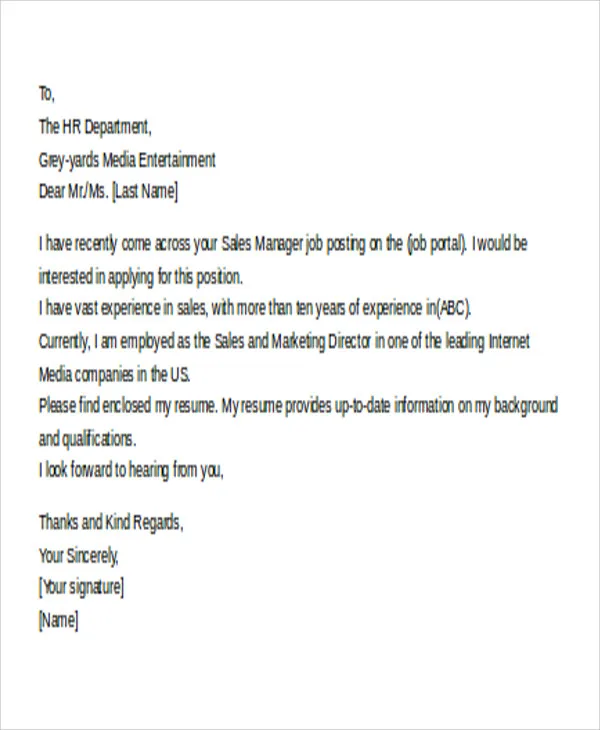
Crafting a Compelling Subject Line
The subject line is the first thing a hiring manager sees, making it crucial for grabbing attention and ensuring your email gets opened. A well-crafted subject line immediately communicates the purpose of your email and encourages the recipient to learn more. Your goal is to make it clear, concise, and professional, immediately signaling what the email is about. Avoid vague or generic subject lines like ‘Resume’ or ‘Job Application’, which can be easily overlooked in a crowded inbox. Instead, clearly state the position you’re applying for and your name. For example, use ‘Application for Marketing Manager Position - [Your Name]’. This clarity helps the recruiter quickly understand the email’s context and prioritize it.
Keep It Concise and Professional
Keep your subject line short and to the point. Aim for a length that is easily readable on both desktop and mobile devices. A concise subject line maximizes the chances that the entire text is visible without being truncated. Use professional language and avoid slang, abbreviations, or emojis. The subject line sets the tone for the rest of the email, so maintain a formal and respectful approach. This shows you are serious about the application and understand professional communication standards.
Avoid Common Mistakes in Subject Lines

Avoid common pitfalls to ensure your email stands out for the right reasons. One common mistake is using overly long subject lines that get cut off. Another is using generic subject lines that lack specificity, which makes it hard for the hiring manager to know what the email is for. Typos and grammatical errors also create a negative first impression. Always double-check your subject line for accuracy and clarity before sending your email. Make sure it directly relates to the job you’re applying for.
Formatting Your Email Body
The body of your email is where you introduce yourself and make a brief case for your candidacy. The structure and tone are critical to making a positive impression. The aim is to provide context and highlight the key reasons why the recruiter should consider your application. Keep the email short, clear, and focused. Your goal is to persuade the reader to open and read your resume and cover letter, not to repeat their content verbatim.
Address the Recipient Correctly
Always address the recipient by name if possible. This simple act adds a personal touch that shows you’ve done your research and care about the application. If you cannot find a name, use a professional salutation like ‘Dear Hiring Manager’ or ‘Dear [Company Name] Team.’ Avoid generic greetings that can sound impersonal. Proper addressing is a sign of respect and professionalism.
Write a Brief Introduction

In the first paragraph, state the position you are applying for and how you found the job posting. Mention the source of the job listing (e.g., LinkedIn, company website) to show your attentiveness. Keep it brief; a sentence or two is usually sufficient. This quickly informs the recipient about the purpose of your email and what they can expect to find in the attachments.
Highlight Your Key Qualifications
Briefly mention one or two of your most relevant skills or experiences that align with the job requirements. The aim is to pique the reader’s interest and prompt them to review your resume. Tailor these highlights to the specific job description, demonstrating that you understand the needs of the role. This helps to make your application immediately stand out.
Express Enthusiasm for the Position
End your email by expressing your genuine enthusiasm for the opportunity. Show that you are eager to learn more about the role and the company. Thank the recipient for their time and consideration, and indicate that you have attached your resume and cover letter. This leaves a positive final impression and encourages the recruiter to proceed with reviewing your application.
Attaching Your Resume and Cover Letter

Properly attaching your resume and cover letter is crucial for a successful application. Make sure that the files are correctly attached before sending the email. Failure to include attachments is a common mistake that can lead to your application being overlooked. Double-check that both documents are included, and that they are in the right format to ensure the hiring manager can easily access them.
File Naming Conventions for Resume and Cover Letter
Use clear and professional file names for your resume and cover letter. Include your name and the document type to make it easy for the recipient to identify the files. For example, use ‘YourName_Resume.pdf’ and ‘YourName_CoverLetter.pdf’. Avoid using generic names such as ‘resume.pdf’ or ‘coverletter.pdf’, as these can be confusing and make it harder for the hiring manager to manage multiple applications. Clear file names also show attention to detail.
Choosing the Right File Format
The preferred file format for resumes and cover letters is PDF (Portable Document Format). PDFs preserve the formatting of your documents, ensuring that they look the same regardless of the software or device used to open them. This is especially important for maintaining the layout and design of your resume and cover letter. Ensure that you save your documents as PDFs before attaching them. If the job posting specifies a particular format, always follow those instructions.
Proofread Your Email

Proofreading your email is the final step to ensure professionalism and attention to detail. Review the entire email carefully before sending it, including the subject line, body, and attachments. Errors can undermine your credibility, so it’s worth taking the time to perform a thorough check. Proofreading shows that you are attentive to detail and care about the quality of your application, which is a must-have attribute in any job role.
Check for Typos and Grammatical Errors
Typos and grammatical errors can create a negative impression, so it’s essential to eliminate them. Use a spell-checker and grammar-checker, but also read through the email yourself. Sometimes software can miss errors that a human eye will catch. Ensure that your sentences are clear, your grammar is correct, and your spelling is accurate. Reading the email aloud can help you identify awkward phrasing or mistakes.
Ensure Proper Formatting
Check that your email formatting is consistent and easy to read. Ensure the font is professional, the text is well-spaced, and any bullet points are properly aligned. Avoid using multiple fonts or font sizes, which can make your email look cluttered and unprofessional. Use a clear and readable font size and ensure your paragraphs are clearly separated. Formatting contributes to the overall presentation and readability of your message.
Follow Up Appropriately

Following up after submitting your email and application shows your continued interest and initiative. After sending your email, wait a reasonable amount of time before following up. The time frame can vary based on the job and company, but generally, a week or two is appropriate. If you haven’t heard back within that time, you can send a polite follow-up email to inquire about the status of your application. This shows you’re proactive and still interested in the position.
When following up, reference your original email and the position you applied for. Keep the email brief and professional, and reiterate your interest in the role. Thank the recipient for their time and consideration. Following up is a good way to stay on the recruiter’s radar and demonstrate your enthusiasm for the job. However, be mindful not to follow up too often, as this could be perceived as annoying.